
Defect reporting across 33 ships
A defect management app built with Power Apps, Power Automate, SharePoint and Power BI, used by crews across a fleet of 33 ships.

Power Platform consultancy
We build Power Apps, automate processes with Power Automate and report on them in Power BI, then put the governance and support in place to keep it all running. Paper forms, spreadsheets and ageing in-house systems are usually where we start.
An app usually needs a flow behind it and a report on top of it, so we build all three and make sure your IT team can look after them afterwards.
Low code apps for your teams, from inspections and defect reporting to procurement and health checks, on phones, tablets and desktops.
Flows that take the copying, chasing and approvals out of everyday processes, connected to Microsoft 365 and your other systems.
Dashboards that bring data from different systems into one place, so managers can see what is happening without asking for a spreadsheet.
A roadmap for where Power Platform fits in your organisation, which processes to start with and who builds what.
Environments, data policies and controls so people can build safely and IT keeps sight of what exists.
Development, maintenance and troubleshooting for the apps and flows you already have, whoever built them.
reporting defects through the Power App we built for CalMac
to deliver a simple Power App or Power Automate flow
for a complex application or a full legacy modernisation
A few of the Power Apps we have designed and built for customers, from a defect register for a ferry fleet to a pipeline for around 200 live procurement projects.

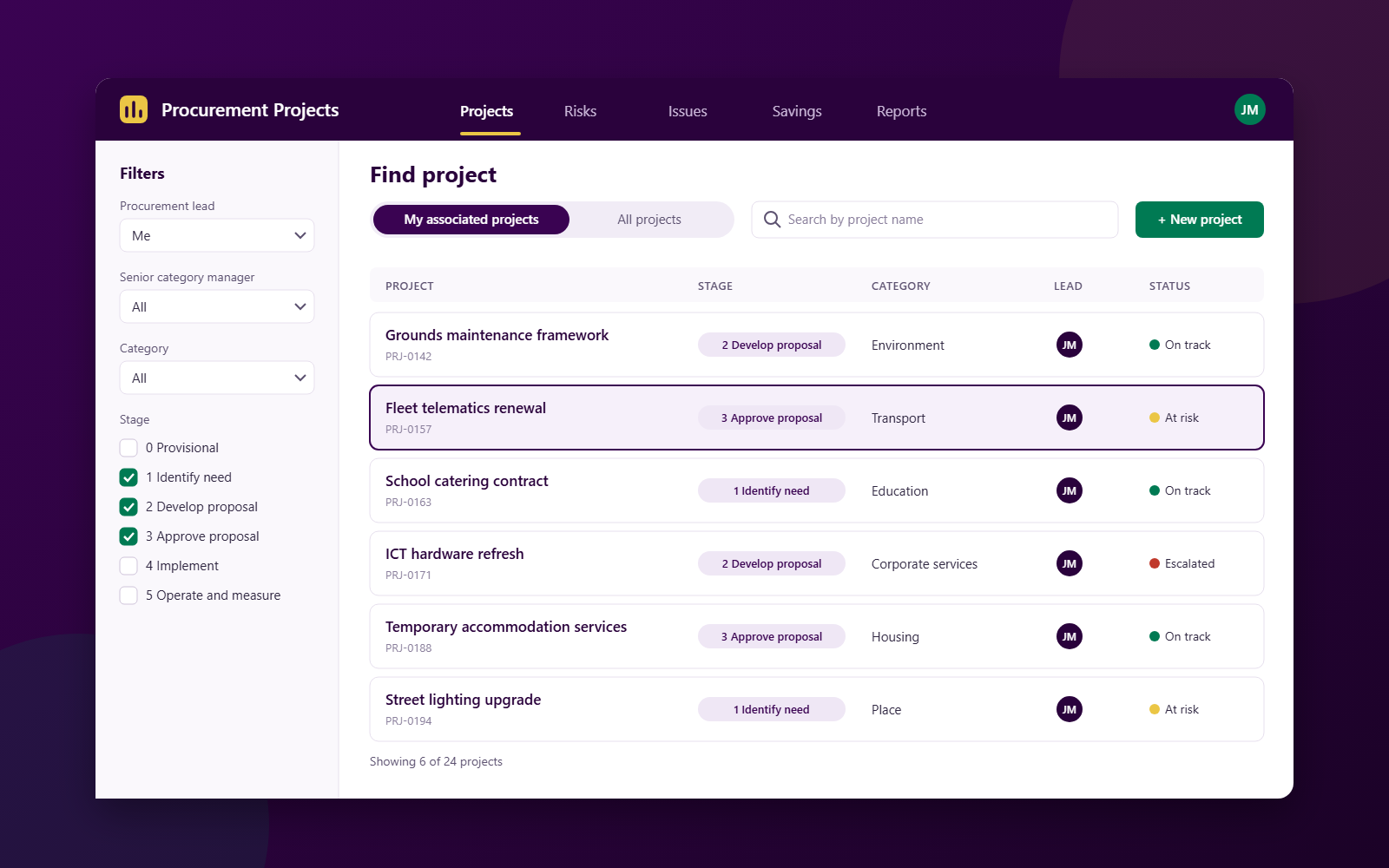
Procurement projects
A Power App for one of Scotland’s largest councils to run procurement projects through a five stage process, with risks, issues and savings recorded against each one.

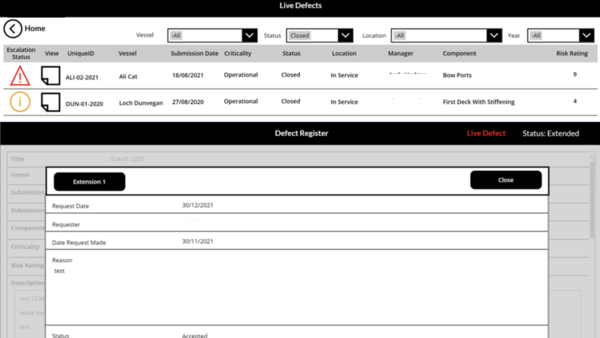
CalMac
A defect management app for a fleet of 33 ships, so crews can report defects and managers can track criticality, status and extension requests in one register.

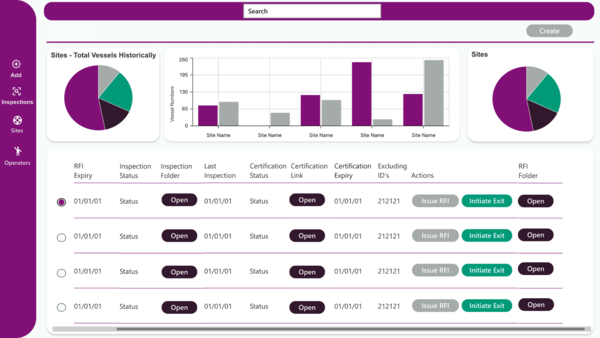
Vessel inspections
An inspection app for a marine operations team, tracking each vessel through RFIs, inspections and certification, with charts of vessel numbers by site.

A defect management app built with Power Apps, Power Automate, SharePoint and Power BI, used by crews across a fleet of 33 ships.
A new intranet for a European renewable energy producer formed from a merger, with Workday vacancies pulled in through Power Automate so staff can apply for roles from the intranet.
Custom Power Apps, process automation with Power Automate, Power BI dashboards and agents built in Copilot Studio, along with the strategy, governance and support around them.
Often, yes. We replace paper forms, spreadsheets and expensive custom built tools with Power Apps that work with Microsoft 365, Azure and your other systems. Where Power Platform is not the right fit, we will say so.
A simple Power App or Power Automate flow takes 2 to 4 weeks. Complex applications or a full legacy modernisation usually run for 8 to 16 weeks, delivered in sprints so you see progress along the way.
We set up environments, data loss prevention policies and a clear process for who can build what, so people can create apps and flows without IT losing track of them.
Licensing has three parts that catch organisations out. Standard connectors are included with Microsoft 365, premium connectors and Dataverse need a paid Power Apps or Power Automate plan, and those plans come in per-app and per-user versions that work out very differently depending on how many apps each person actually uses. We work the licensing out during discovery rather than at the end, because it changes which design makes sense. Microsoft's current prices are published on their own site and change from time to time, so we check them against your real user numbers rather than quoting a figure that may have moved.
If you have more than a handful of people building apps, yes. A Centre of Excellence is the set of decisions about which environments exist, who is allowed to create apps, what data those apps may connect to and who reviews them. It does not have to be elaborate, and for a lot of organisations it comes down to three environments, a data loss prevention policy and a named owner. Microsoft publishes a Centre of Excellence starter kit that handles the monitoring, but the policies and the ownership decisions have to be yours.
Yes, with the same groundwork any Microsoft 365 workload needs. Dataverse supports role-based security down to row and column level, Power Platform activity is logged to the Microsoft 365 audit log, and data loss prevention policies stop business data being connected to consumer services. For regulated organisations we agree the environment strategy and the data classification before anything is built, because retrofitting either one onto apps already in use is considerably more work.
Tell us what you are working on and we will come back to you within one working day to arrange a call.