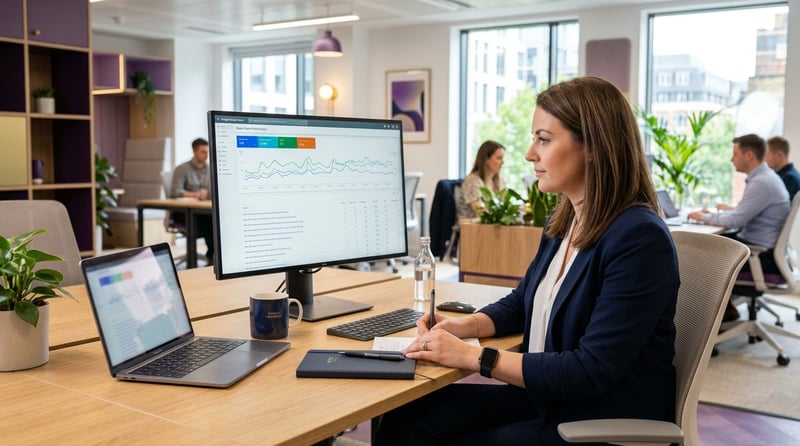
Successful hybrid working needs technology that closes the gap between in-office and remote employees: meeting rooms where remote participants are on an equal footing, desk and room booking that makes attendance coordinated rather than chaotic, and Microsoft 365 tools that keep information accessible wherever someone works.
What do Microsoft Teams Rooms add to hybrid meetings?
Certified Teams Rooms devices provide intelligent cameras that follow active speakers, room audio optimised for Teams voice clarity, and one-touch join from the room panel. They make video meetings fair for remote participants, rather than leaving them as a small face in the corner of a TV. Certified devices deliver a consistent, supported experience compared with generic webcams and screens, and are managed through the Teams admin centre for straightforward IT oversight.
How should desk and room booking work?
Microsoft-native desk and meeting room booking can be set up with Teams Panels, Microsoft Places or SharePoint-integrated booking solutions. The choice depends on the complexity of your workspace and the level of analytics you need. Teams Panels mounted outside meeting rooms show real-time availability and allow one-touch booking, while Microsoft Places lets employees indicate when they plan to come into the office, which supports the kind of coordinated attendance that makes hybrid working work socially as well as logistically.
The human side of hybrid working
Technology alone does not make hybrid working succeed. Microsoft's 2022 Work Trend Index identified "productivity paranoia", where leaders doubt their people are working even when output data shows they are, as one of the most damaging dynamics in hybrid organisations. 87% of employees said they were productive at work, but only 12% of leaders said they had full confidence that their team was productive. Closing that gap needs both the right measurement tools and a change in how performance is managed and communicated.
Hybrid working also creates new challenges for morale, engagement and mental health. Employees who work mainly from home can feel isolated from the informal social connections that office life provides, while those who come in more often can feel that remote colleagues have a quality-of-life advantage. Managing these dynamics takes deliberate effort: structured team rituals, inclusive meeting practices, and digital tools that keep everyone equally informed and connected regardless of location. Our own hybrid working policy at ThinkShare is built around these principles, with flexible attendance, clear communication expectations, and Microsoft 365 tools that make sure no one is disadvantaged by where they work.
Which Microsoft 365 tools help hybrid teams?
Microsoft 365 provides a coherent set of tools for making hybrid working effective. SharePoint intranets give all employees, wherever they work, access to the same policies, news and resources. Teams channels create persistent spaces where work conversations and documents are available asynchronously, removing the dependency on being in the same room at the same time. Viva Connections surfaces the most important information and tasks within Teams, reducing the number of applications employees need to move between during the day, and Viva Engage builds the community connections that stop remote employees feeling disconnected from the wider organisation.
Microsoft Loop components, which are collaborative content blocks that work across Teams chats, Outlook emails and SharePoint pages, let employees co-author content without switching context or losing work to version conflicts. For hybrid teams working flexible hours, Loop is particularly useful because it supports asynchronous collaboration on shared content without the coordination overhead of traditional document co-authoring.
ThinkShare's approach to hybrid technology
ThinkShare assesses hybrid technology needs as part of Microsoft 365 intranet and Teams projects. We advise on the right combination of Teams Rooms devices, desk booking and Microsoft 365 configuration for each client's working patterns and office footprint, and where clients have existing meeting room equipment, we assess compatibility with Teams Rooms standards and recommend the most cost-effective upgrade path. Our adoption and change management support makes sure new hybrid technology is actually used rather than just deployed, through training, communications and champion programmes that build the habits hybrid working depends on. Our guide to Microsoft 365 change management explains how we approach that.
Frequently asked questions
What technology do you need for hybrid working?
At a minimum, meeting rooms that put remote participants on an equal footing, a way to book desks and rooms, and a shared place for information and conversations that does not depend on being in the office. In Microsoft 365 that usually means Teams Rooms, Teams Panels or Microsoft Places for booking, and a SharePoint intranet with Teams channels.
What are Microsoft Teams Rooms?
Teams Rooms are certified meeting room systems built for Microsoft Teams, with cameras that follow the active speaker, audio tuned for Teams, and one-touch join from a room console. They are managed centrally through the Teams admin centre, which gives IT a consistent, supported setup across every room.
Can Microsoft 365 handle desk booking?
Yes. Teams Panels outside meeting rooms show availability and allow booking at the door, Microsoft Places lets employees share when they plan to be in the office, and SharePoint-integrated booking solutions can cover more complex workspaces. The right option depends on your office layout and the reporting you need.
How do you stop remote employees feeling left out?
Make sure information lives in shared spaces such as the intranet and Teams channels rather than in office conversations, run meetings so remote participants can contribute equally, and use Viva Engage to build communities across locations. Structured team rituals help as well, because informal connection does not happen by accident in a hybrid team.
Plan your hybrid working technology
If you are reviewing the technology behind your hybrid working model, get in touch or read more about our intranet services.